
The Cardano and Midnight wallet for iPhone.
Send, receive, stake, vote and swap from one non-custodial app. Your keys never leave your iPhone, and Face ID guards every unlock and signature.
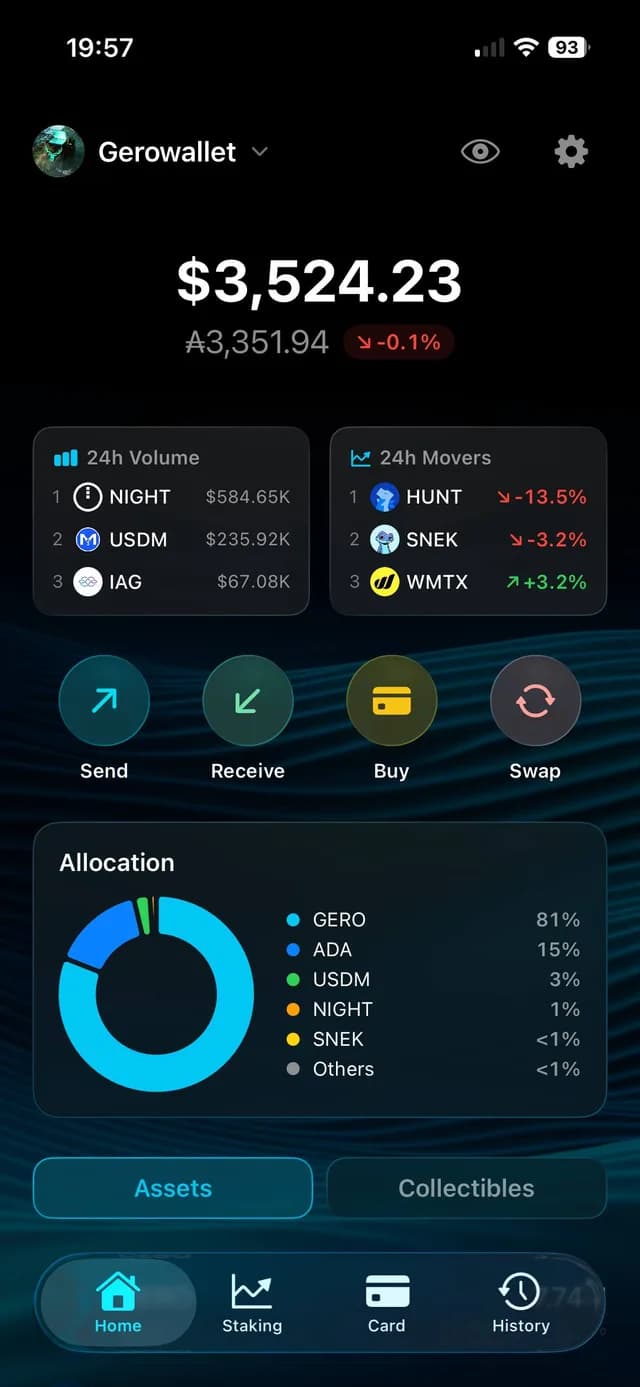
The whole wallet, in your pocket
Staking, governance, swaps, market data and Midnight, built for one hand.
Stake and watch rewards land
Browse Cardano stake pools and delegate in a few taps. Follow the current epoch, see when your next reward lands, and review your rewards epoch by epoch. Delegated ADA stays in your wallet and remains spendable.
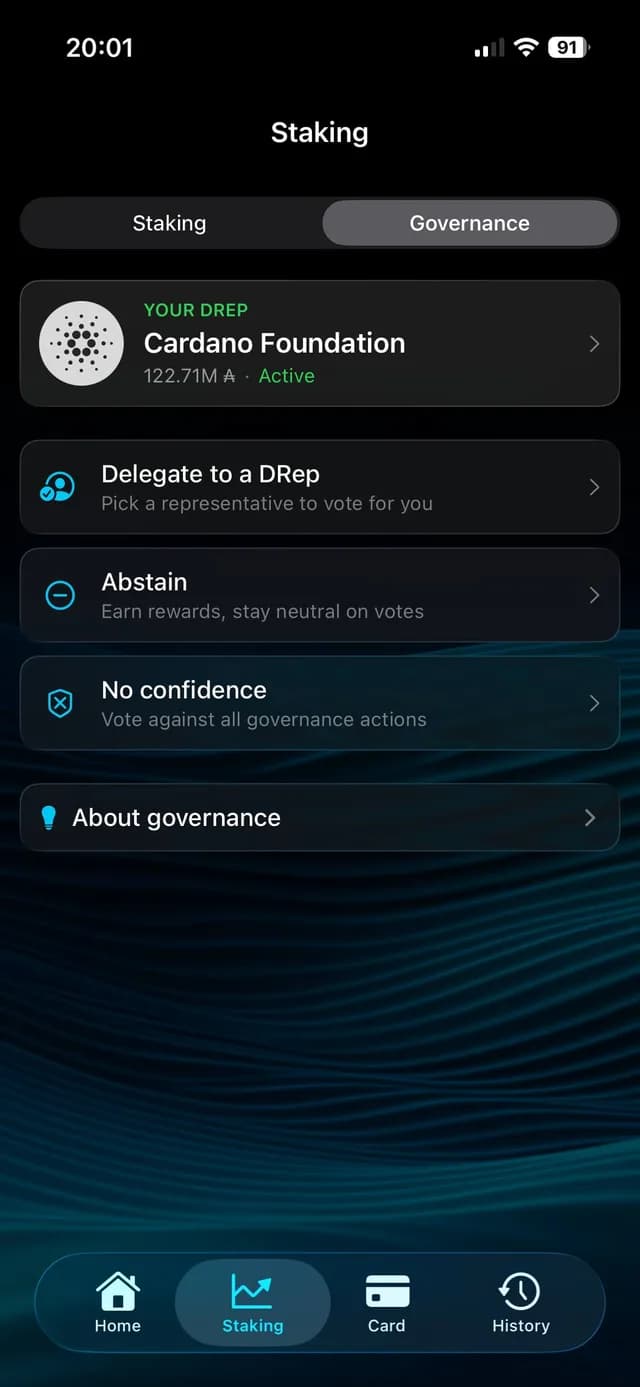
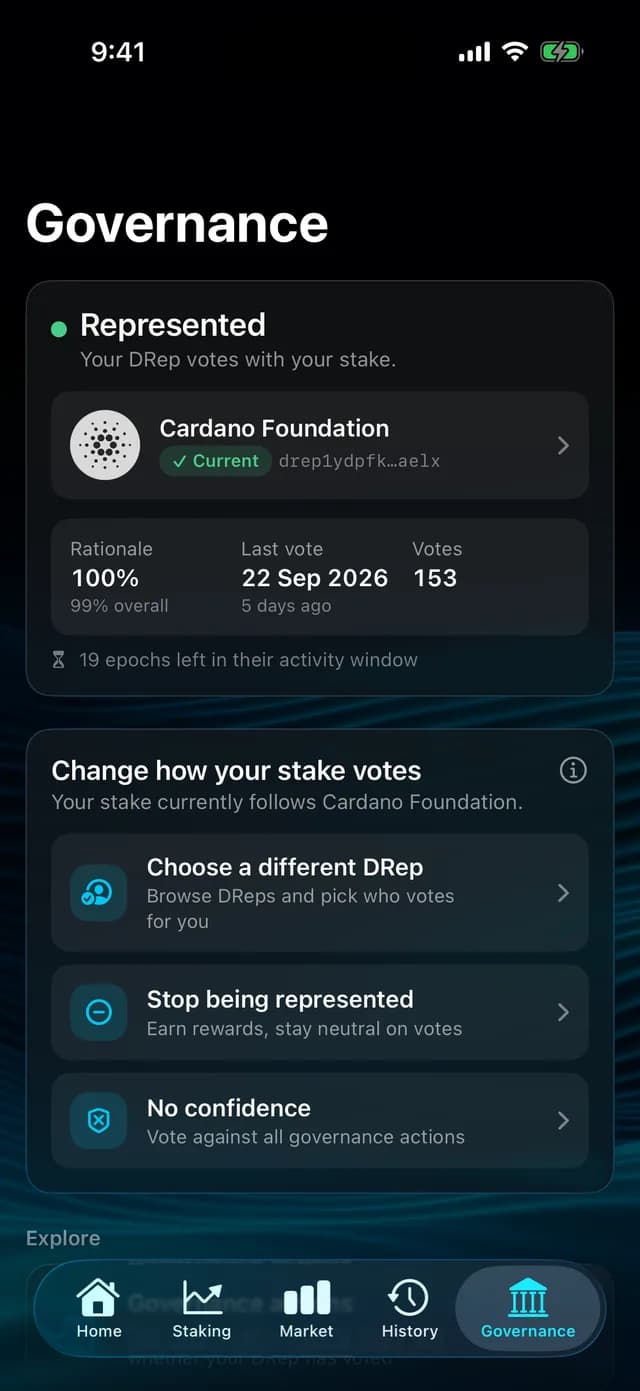
Your stake, your vote
Choose a DRep from the directory, with voting power, participation and rationale for each one, or set Always Abstain or No Confidence. Follow live governance actions with vote tallies, and see at a glance whether your stake is represented.
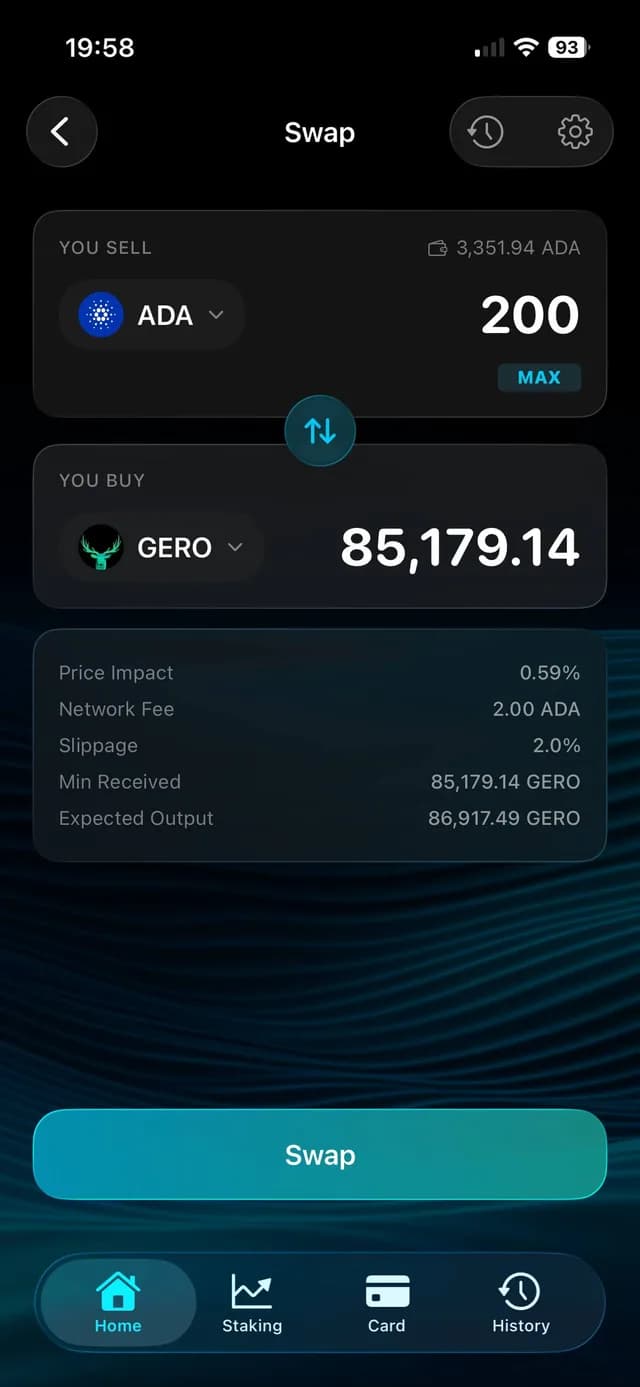
Swap through on-chain liquidity
A decentralized-exchange aggregator searches Cardano's on-chain liquidity for the most favourable route. Price impact, fees, slippage and minimum received are shown before you sign, with market, limit, stop and OCO orders. Every swap is signed on your iPhone with your own key.
Markets at a glance
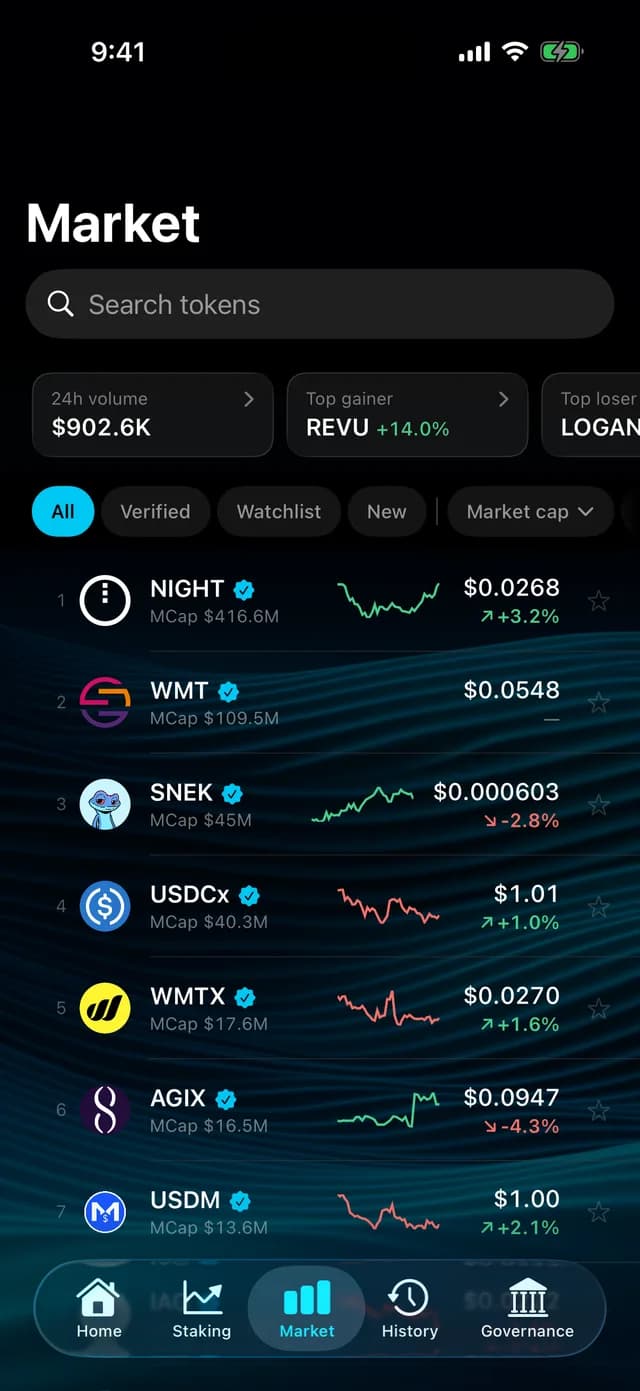
Live prices, 24h change and volume for Cardano tokens, with sparklines. Top gainers, top losers, the busiest tokens by volume, and a watchlist of the tokens you care about. See your portfolio in USD or EUR.
Midnight, NIGHT and DUST
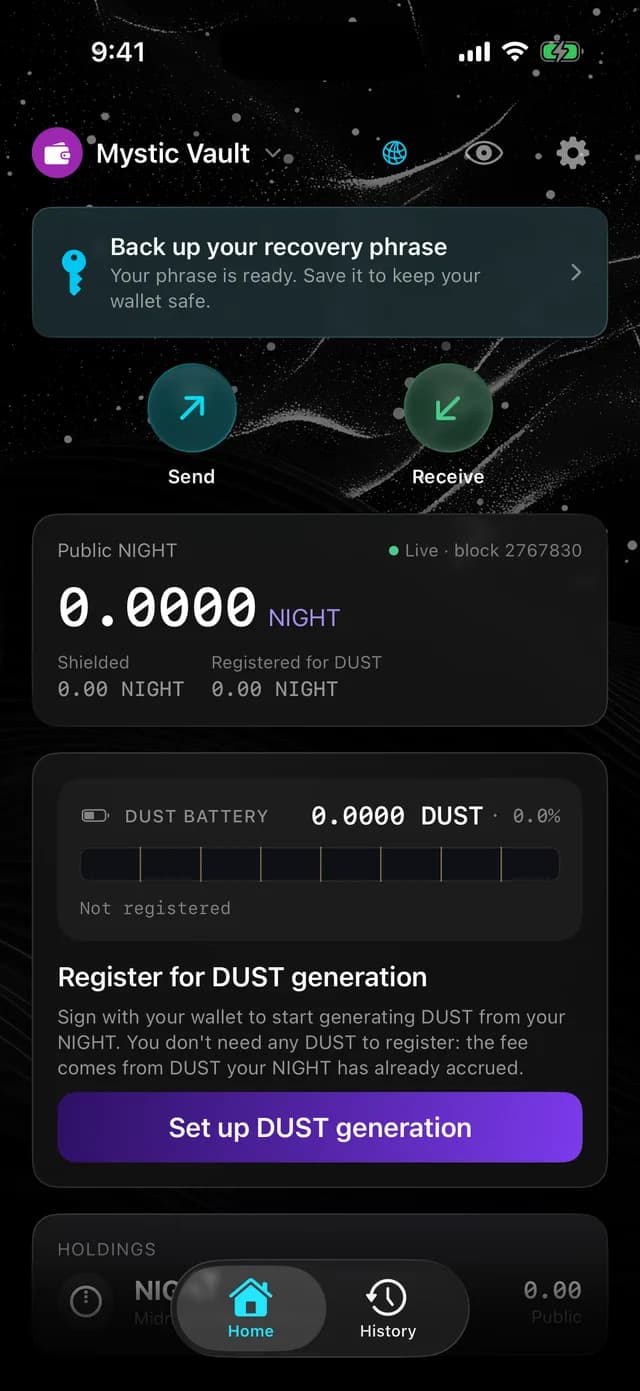
Create a Midnight wallet alongside your Cardano wallets. Receive and send NIGHT, and register your NIGHT or cNIGHT for DUST generation from inside the app, then watch your DUST balance fill up.
Everything else you need
Send and receive
Send ADA and native tokens in one transaction, with the minimum ADA attached automatically. Pay an address, an ADA Handle or a saved contact, scan or share a QR code, and review the fee and every output before you slide to confirm.
Buy ADA
Buy ADA with a debit or credit card through MoonPay, straight to your wallet address. MoonPay provides this service under its own terms.
Collectibles and history
Your NFTs grouped by collection, with floor prices where available. Full transaction history with pending and confirmed status, links to Cardanoscan and CSV export.
Approve from your desktop
Pair the GeroWallet browser extension with your iPhone once, then review and approve its transaction requests on your phone with Face ID.
Connect to dApps
Connect to Cardano dApps that support deep-link signing. Every request is shown for review before you sign, and you can disconnect any app at any time.
Several wallets, one app
Keep multiple wallets on one device, watch any public address read-only, and use the Cardano pre-production test network for development.
Your keys. Your crypto. Your phone.
Non-custodial by design
Your recovery phrase is created on your iPhone, encrypted and stored in the iOS Keychain. It is never sent to us or anyone else, and GeroWallet cannot access, move or freeze your funds.
Face ID on every unlock and signature
Unlock with Face ID or Touch ID, and the app locks itself after you leave it. Balances are covered in the app switcher, the recovery phrase screen blanks during screen recording, and third-party keyboards are blocked.
No account, no tracking
No sign-up, no email, no analytics and no tracking. Built by the team behind the GeroWallet browser extension, whose source code is public on GitHub.
Frequently Asked Questions
Is GeroWallet available on iOS?
Yes. GeroWallet for iOS is available in beta on TestFlight as "Gero: Multichain Wallet". Install Apple's TestFlight app, then open the beta invitation on your iPhone. The beta is free and requires iOS 17 or later.
Is the mobile app non-custodial?
Yes. Your recovery phrase is created on your iPhone, encrypted and stored in the iOS Keychain, and never sent to us or anyone else. GeroWallet cannot access, move or freeze your funds.
Can I stake and vote from the app?
Yes. Browse Cardano stake pools and delegate in a few taps, then follow each epoch and your rewards. For governance, choose a DRep from the directory, or set Always Abstain or No Confidence. Delegated ADA stays in your wallet and remains spendable.
Does the app support Midnight?
Yes. Create a Midnight wallet alongside your Cardano wallets, receive and send NIGHT, and register your NIGHT or cNIGHT for DUST generation from inside the app.
Can my phone approve transactions from my desktop?
Yes. Pair the GeroWallet browser extension with the app once; both need to hold the same wallet. When the extension asks for a signature, review the request on your iPhone with the app open and approve it with Face ID. Your keys stay on the phone.
Can I buy ADA in the app?
Yes. You can buy ADA with a debit or credit card through MoonPay, delivered straight to your wallet address on Cardano mainnet. MoonPay is an independent provider: it runs the checkout, identity checks and payment under its own terms and privacy policy.
Does the app track me?
No. There is no account to create, no email to give, and no analytics, advertising or tracking in the app. Our privacy policy lists the data our servers process to run the wallet.
When is the Android app coming?
Android is in development. Follow @GeroWallet for the Android release announcement.
Need help?
We can never see your recovery phrase, so we will never ask for it. Anyone who does is not GeroWallet.
Support center
Guides, answers to common questions, and our community channels.
Visit the support centerEmail us
Write to the team directly. In the app, Settings → About → Contact Support starts the email for you.
[email protected]Privacy and terms
What the app keeps on your iPhone, what our servers process, and the terms of use.
Read the privacy policySee also the terms of use.
Take your wallet with you
Join the GeroWallet beta on TestFlight and manage your portfolio, staking, votes, swaps and sends from your iPhone.
Cryptoassets are volatile and unregulated in many places. You are responsible for keeping your recovery phrase safe; GeroWallet cannot recover it if it is lost.