
Your Step-by-Step Guide to Gero Card, Cardano’s Crypto Card
Your Step-by-Step Guide to Gero Card, Cardano’s Crypto Card
A complete guide to getting your Cardano-powered debit card through Gero Dashboard, featuring Adam from Gero as he walks DappCentral through how to instantly top up the Gero Card.
Step 1 - Start from Gero Dashboard
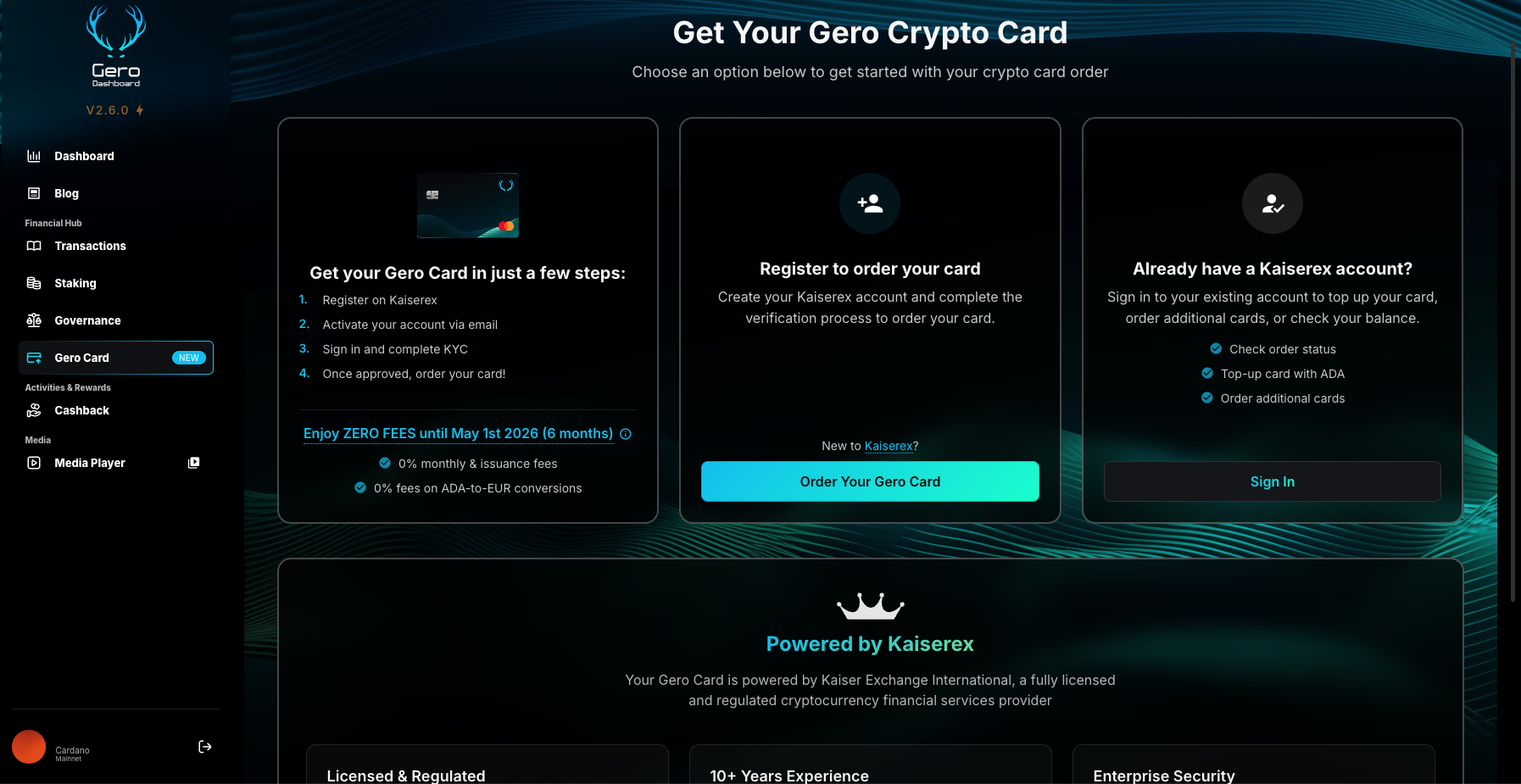
Open Gero Dashboard (v2.6.0 or later) and click Gero Card on the left menu. Then select Order Your Gero Card to begin your application.
You’ll be redirected to the Kaiserex registration form, Gero’s institutional partner handling regulated card issuance and fiat conversion.
Step 2 - Register on Kaiserex
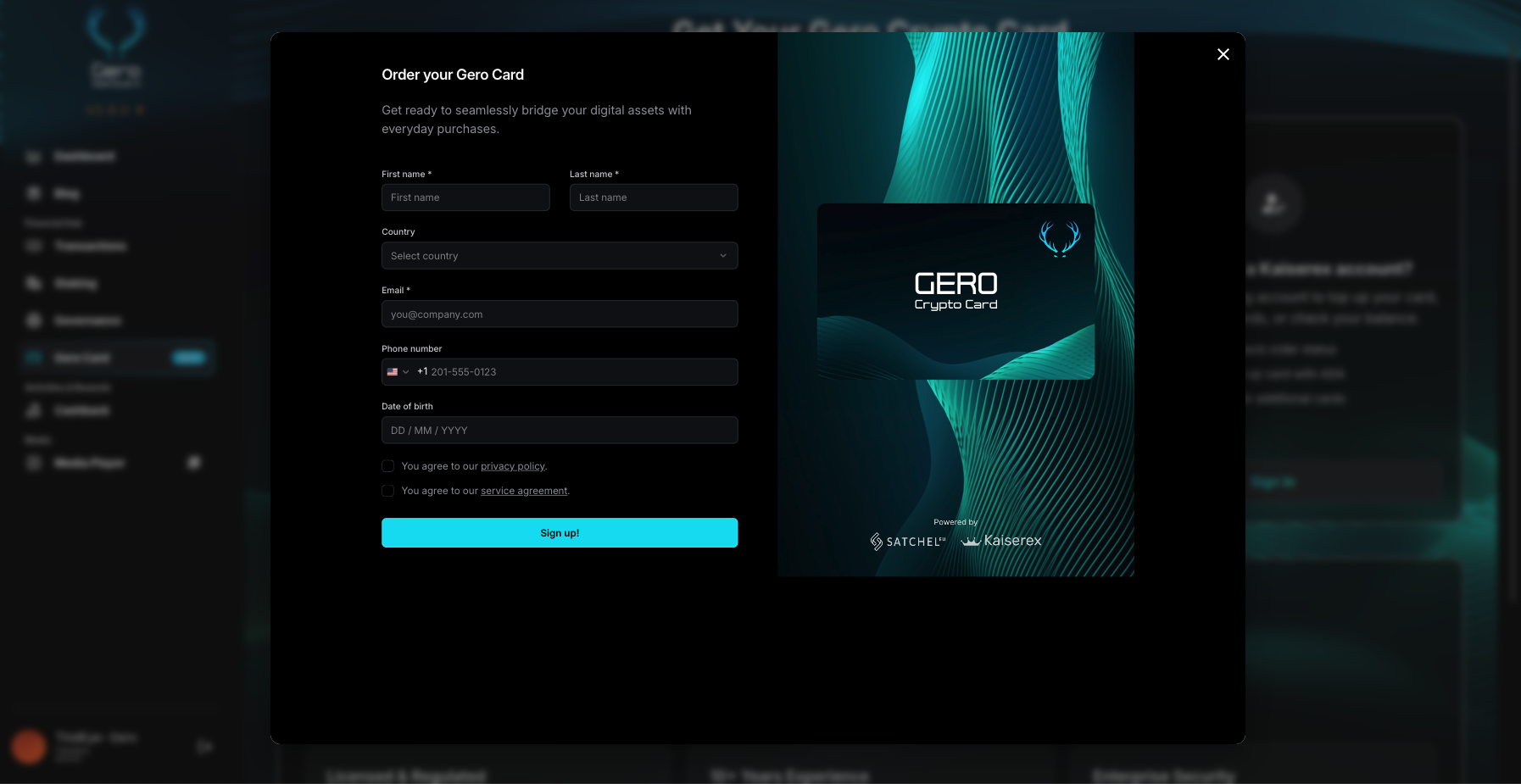
Fill in your personal details to create your Kaiserex account:
- First and last name
- Country of residence
- Email and phone number
- Date of birth Agree to the Privacy Policy and Service Agreement, then click Sign Up.
Step 3 - Activate Your Account and Follow the Setup Steps
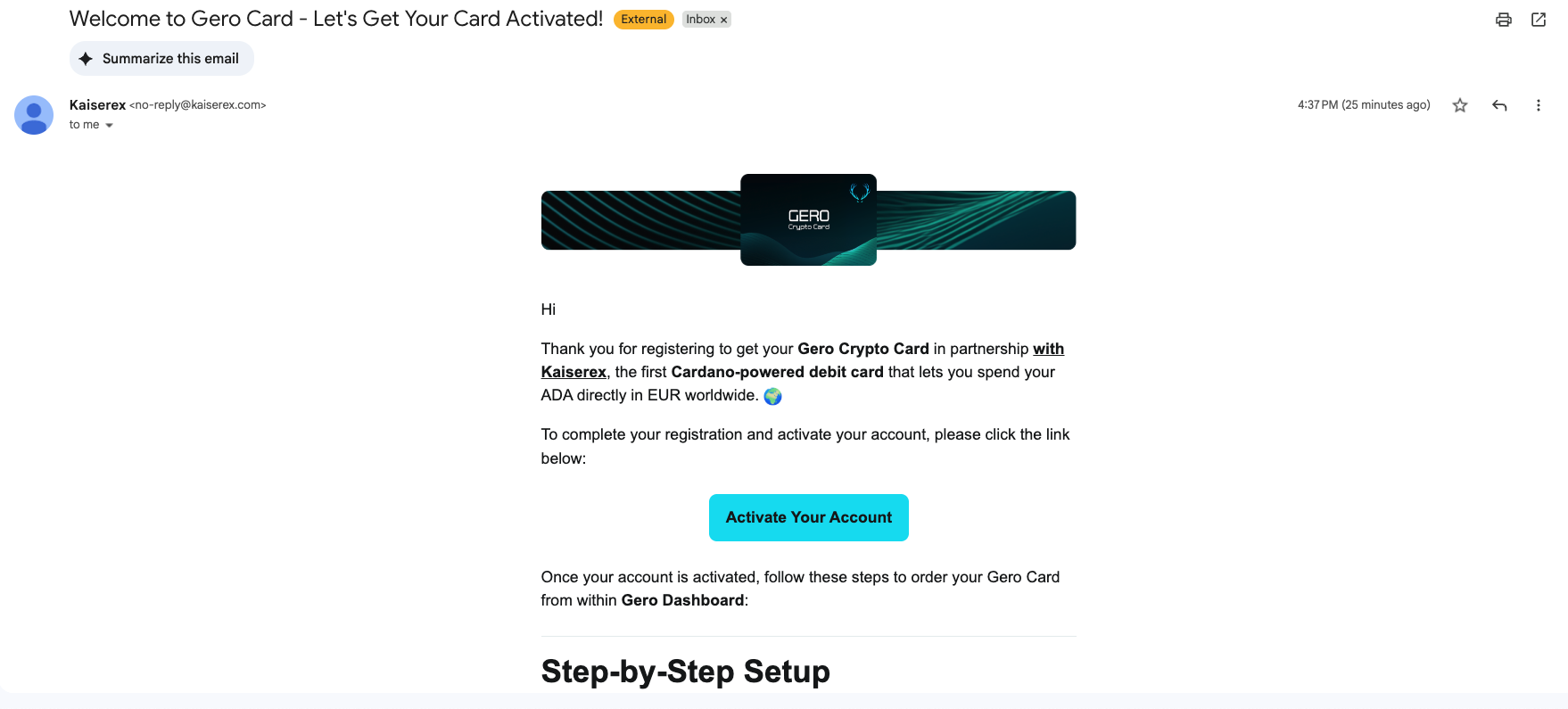
After registration, check your inbox for an email from Kaiserex titled “Welcome to Gero Card - Let’s Get Your Card Activated!”
This email confirms your registration and includes everything you need to continue.
Click Activate Your Account to verify your email and enable access.
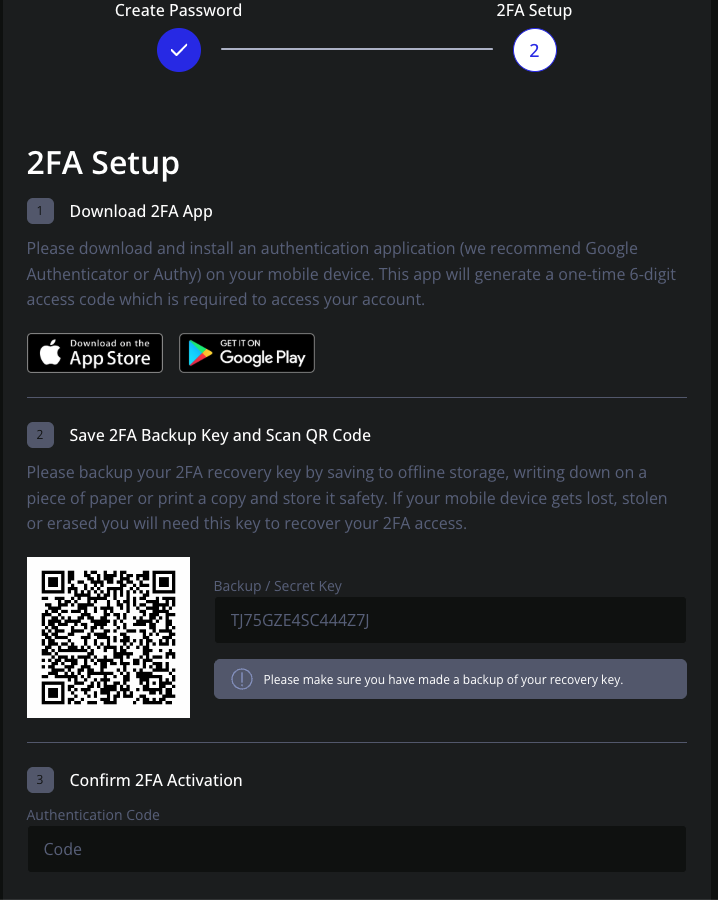
Step 4 - Set Up Two-Factor Authentication (2FA)
Before proceeding with KYC, Kaiserex requires 2FA for security.
Download Google Authenticator or use iPhone Passwords to scan the QR code or enter the backup key manually. Save your backup key offline in a safe location, then enter the six-digit code to confirm activation.
Step 5 - Log In via Gero Dashboard
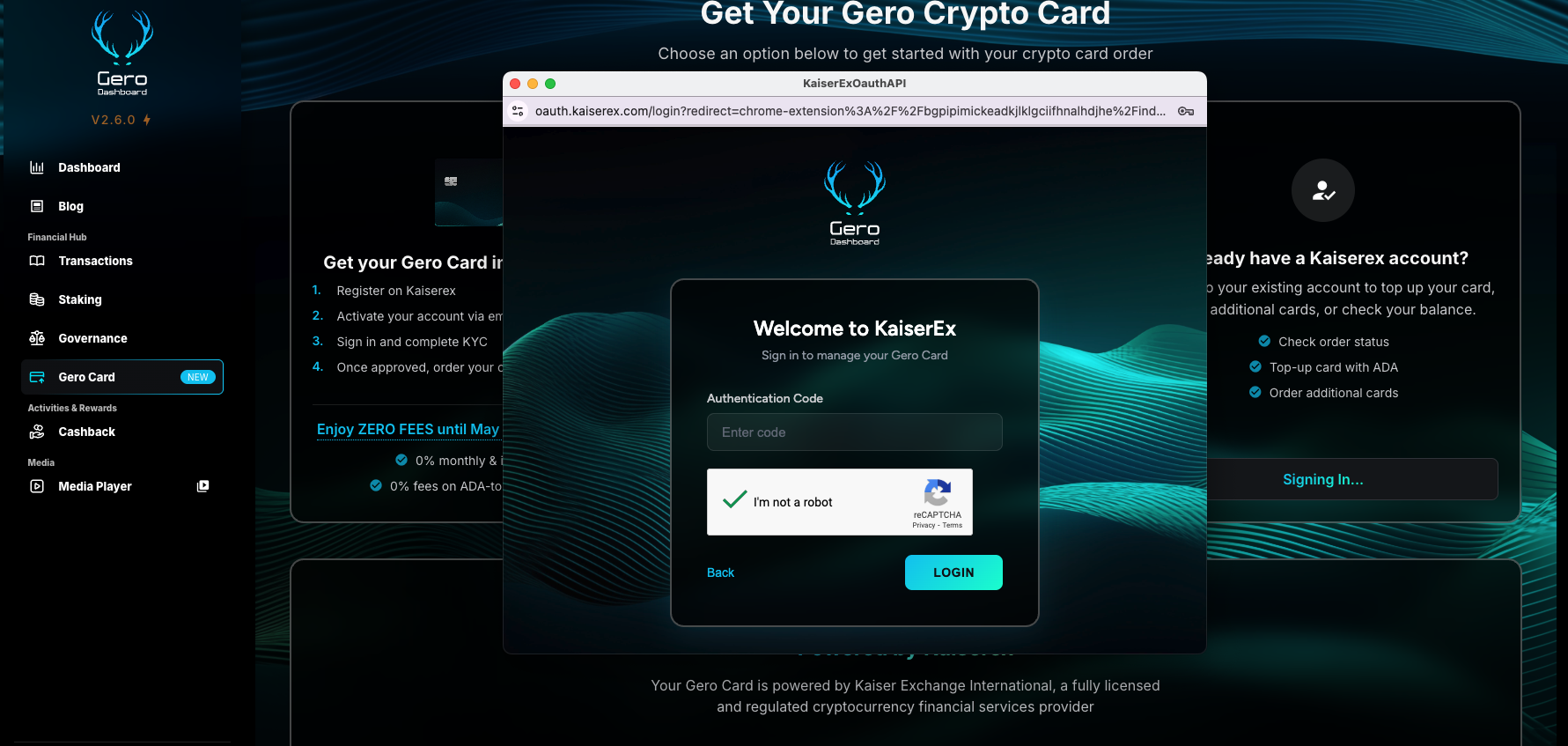
Return to Gero Dashboard → Gero Card, click Sign In, enter your 2FA code, verify reCAPTCHA, and click Login.
Step 6 - Complete Your KYC Verification
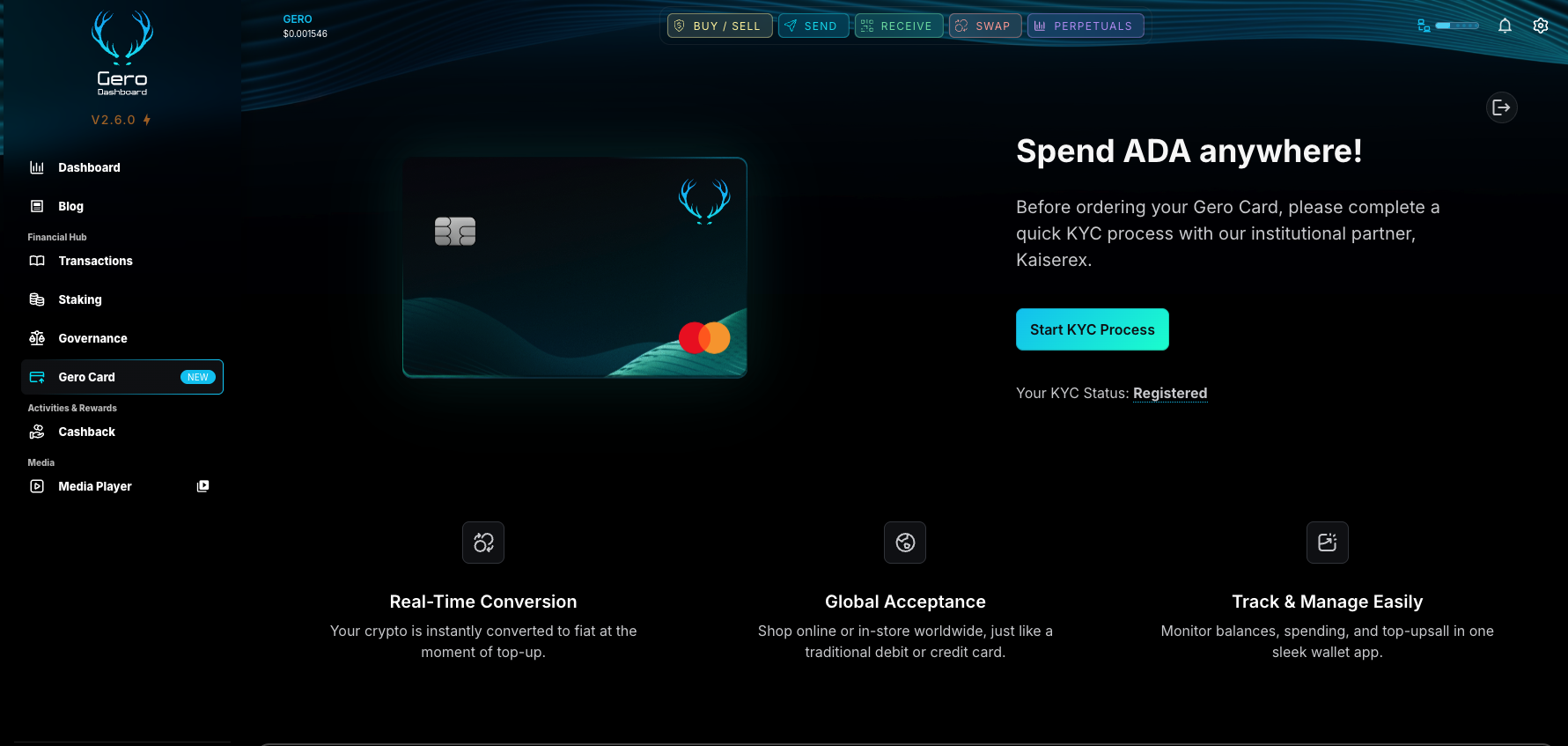
Click Start KYC Process to begin identity verification. You can complete this process either on your computer or directly from your mobile phone, whichever is more convenient.
Upload a valid passport or national ID card and follow the guided steps to verify your identity. The KYC process is super fast, and once approved, your status changes to Verified, allowing you to order your Gero Card immediately.
Step 7 - Order and Use Your Gero Card
When your KYC shows Verified, you can proceed to order your Gero Card and manage everything from the Gero Dashboard. You can top up with ADA directly inside the dashboard, and the ADA→EUR conversion is reflected in your card balance and statements.
Enjoy 0 % fees until May 1 2026 and experience the simplest way to spend ADA worldwide.
Powered by Kaiserex and Satchel.eu
The Gero Crypto Card is powered by Kaiserex and issued through Satchel.eu, a licensed European EMI. This partnership ensures secure, compliant, and instant ADA→EUR transactions globally.
Enjoy zero fees until May 1, 2026, and experience the freedom to spend ADA anywhere.
Stay connected with updates, new features, and support - Join our official Gero Community on X, Discord, and & Telegram.