
Gero Dashboard 2.6.2: Advanced Wallet Security and the Relaunch of the Gero Card

Gero Dashboard 2.6.2: Advanced Wallet Security and the Relaunch of the Gero Card
Security has always been at the core of Gero. With Gero Dashboard 2.6.2, we are introducing one of the most advanced wallet-level security systems on Cardano, alongside major usability improvements, expanded hardware wallet support, and the re-launch of the Gero Card with a completely redesigned experience.
This release focuses on making non-custodial security stronger, simpler, and more practical for everyday use.
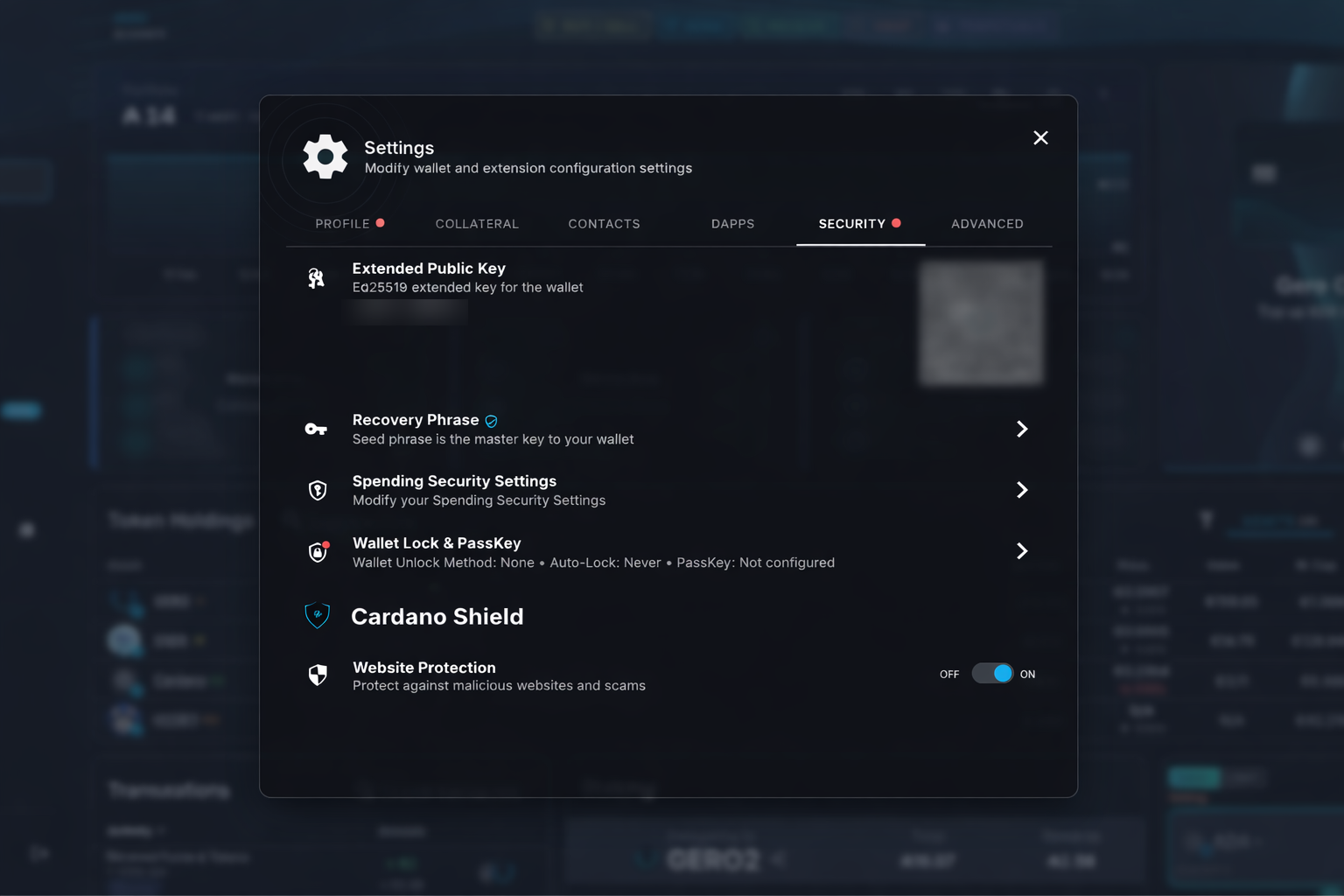
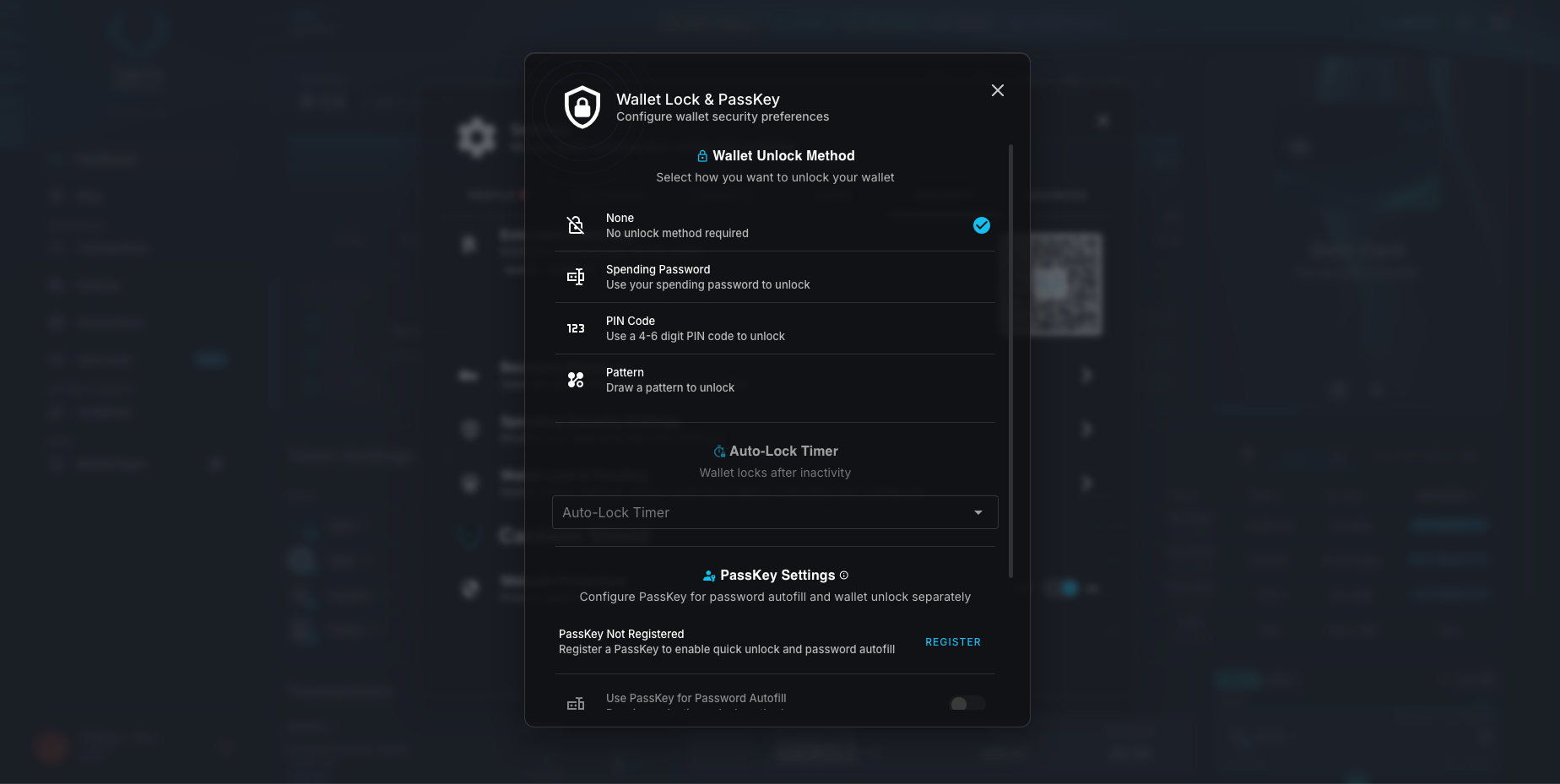
Flexible Wallet Protection: PIN, Pattern, Spending Password, and Auto-Lock
Gero Dashboard 2.6.2 introduces a powerful wallet locking system designed to give users precise control over how each wallet is protected.
Users can now choose from multiple unlock methods:
- No unlock method
- Spending password
- PIN code (4–6 digits)
- Pattern unlock
An auto-lock timer automatically locks wallets after inactivity, similar to a smartphone, helping protect funds if a device is left unattended.
Unlike many platforms that apply security globally, Gero applies lock settings per wallet. This is especially useful for users managing multiple wallets with different purposes or risk profiles inside one dashboard.
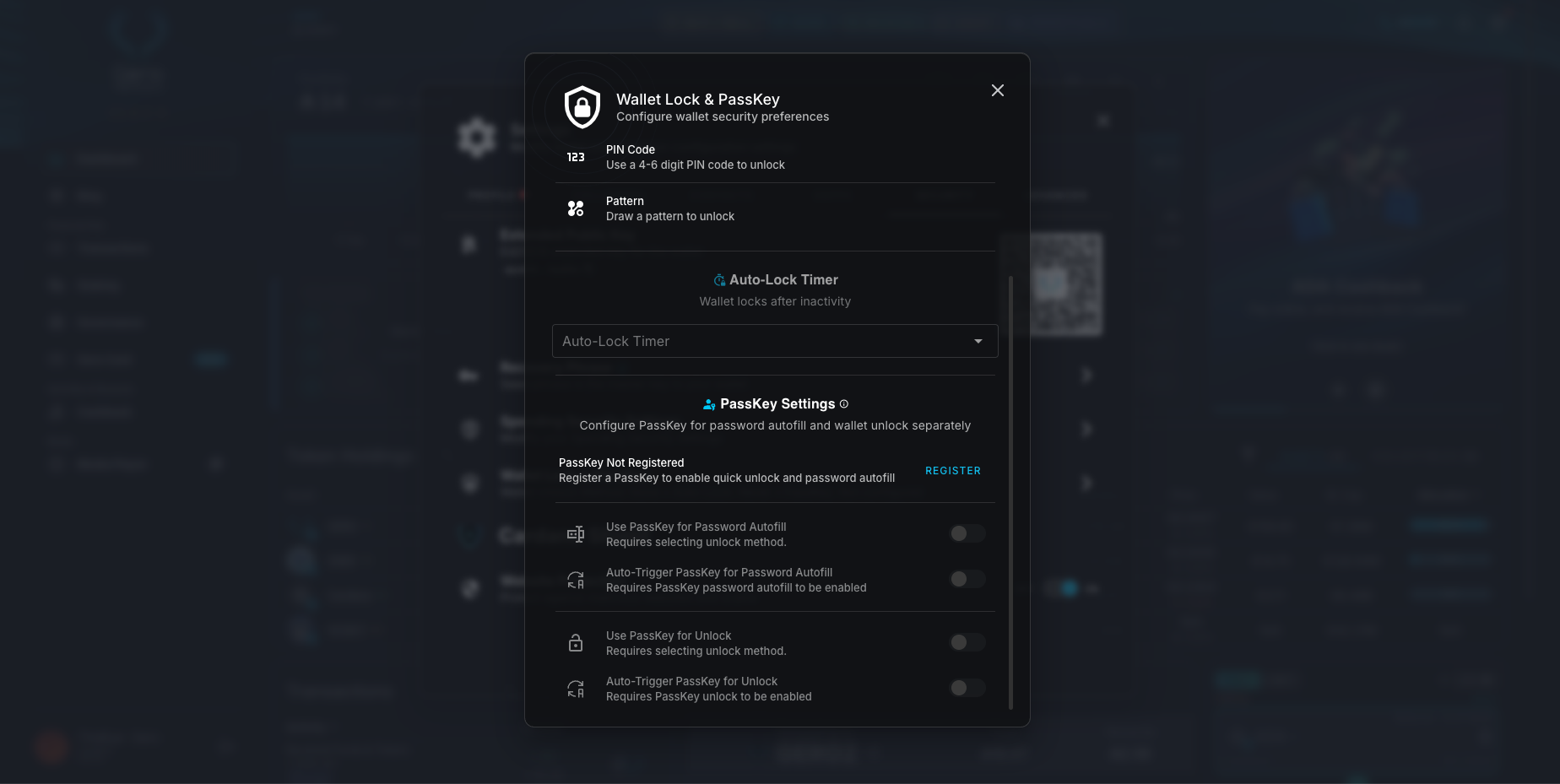
PassKeys: Passwordless Security Powered by Your Device
One of the most important security upgrades in this release is PassKey authentication.
Instead of relying on traditional passwords, PassKeys use your device’s built-in hardware security chip, the same technology behind Face ID, Touch ID, and Windows Hello.
With PassKeys:
- Your fingerprint or face unlocks your wallet securely
- Private keys remain protected by hardware-level security
- Registration now happens in a single step
- Wallet creation and restoration flows are simplified
Even if someone gains access to your computer, they cannot access your wallet without your biometric authentication.
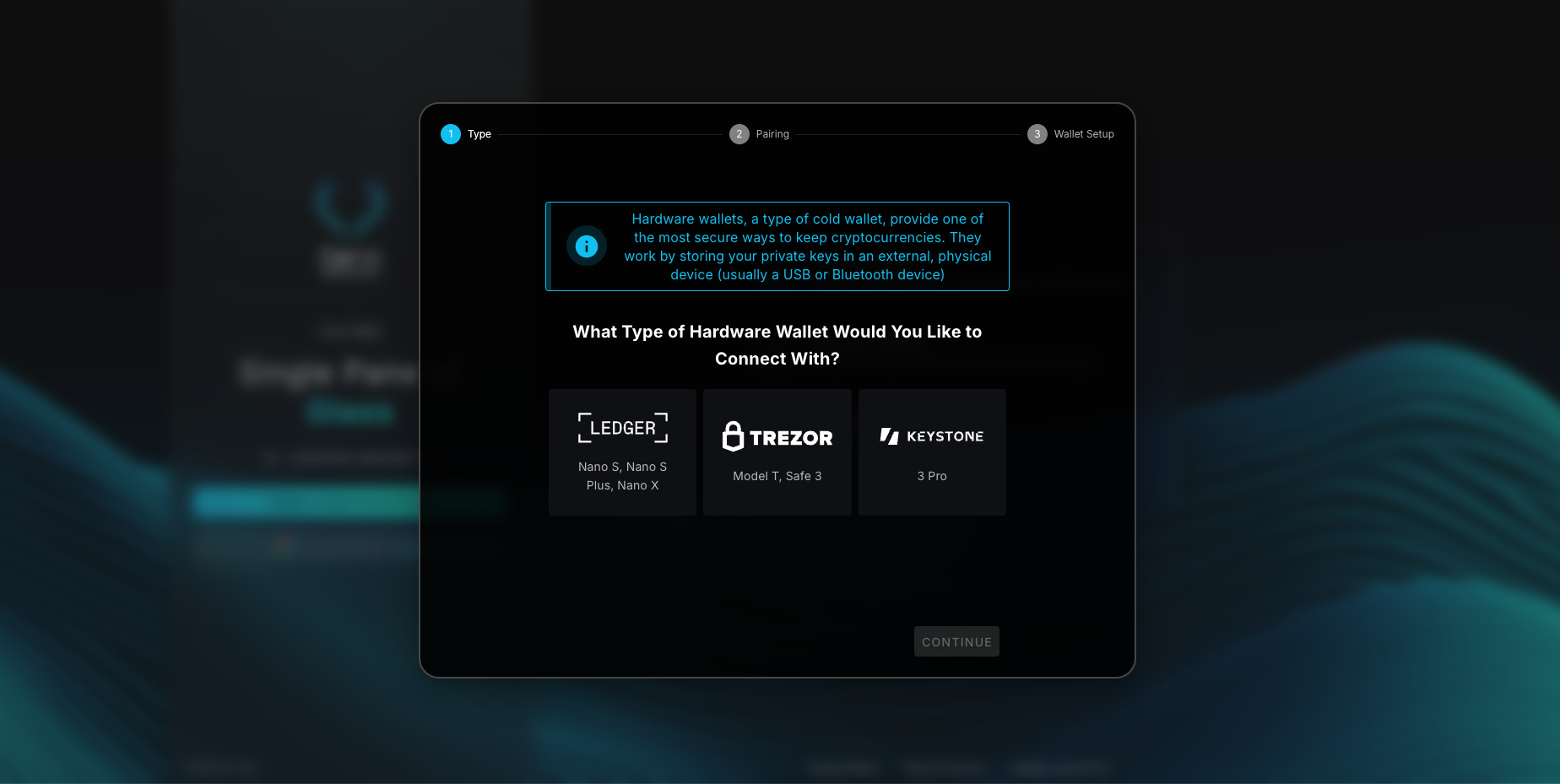
Full Hardware Wallet Support: Ledger, Trezor, and Keystone
Gero Dashboard now supports three major hardware wallets:
- Ledger
- Trezor (full support)
- Keystone (air-gapped QR signing)
Hardware wallets allow users to sign transactions, stake, and manage funds without private keys ever touching the internet.
This release also includes Ledger stability improvements and fixes for transaction reliability.
The Gero Card Returns With a Completely Redesigned Experience
Gero Dashboard 2.6.2 marks the official re-launch of the Gero Card with a new ordering system and improved user experience.
New capabilities include:
- Step-by-step card ordering with ADA payment integration
- Worldwide physical card shipping
- Clear KYC status tracking with improved messaging
- Transaction history export to CSV with date filtering
- ADA/EUR conversion rates visible in transaction history
- Prevention of duplicate card orders
If you previously applied for the Gero Card, you may need to complete the new ordering flow again due to the redesigned system.
The Gero Card connects directly to the Gero Dashboard, bridging on-chain finance with everyday payments while maintaining Gero’s non-custodial philosophy.
German Language Support and User Experience Improvements
This release introduces full German localization across the entire app, making Gero more accessible for users in Germany and across Europe.
Additional improvements include:
- Fiat value displayed alongside ADA during transactions
- Improved recovery phrase entry layout
- Duplicate wallet detection when restoring wallets
- Fixes across swaps, tokens, NFTs, and Apex wallet features
These refinements improve clarity, reliability, and everyday usability throughout the platform.
Cardano Shield: Protection Against Phishing and Malicious dApps
Security in Gero extends beyond wallet access. Cardano Shield continues to provide background protection against:
- Phishing websites
- Malicious dApps
- Scam domains impersonating trusted services
This built-in protection layer helps users interact safely across the Cardano ecosystem.
Practical Security for Real-World Crypto Use
Gero Dashboard 2.6.2 combines modern authentication, flexible wallet protection, expanded hardware support, and real-world payment integration through the Gero Card.
By focusing on both security and usability, this release continues to raise the standard for non-custodial wallets on Cardano.
Security should adapt to how people actually use crypto. This update reflects that philosophy and continues Gero’s mission of building secure, accessible Web3 tools for everyday users.